2026.05 Update

OneMouse

PC のマウス、キーボード、クリップボード、ファイルを Android へつなぐローカル接続アプリです。同じ Wi-Fi または LAN 上で mDNS を優先し、必要に応じて UDP fallback で PC を探します。

QR pairingmDNS + UDPWi-Fi/LANPower controlClipboard sync

What Changed

現在のアプリの流れに合わせて整理しました。

電源、権限、デバイス検索、ペアリング、スマートフォン配置、入力切り替えの順に案内します。

Pairing

QR / 6-digit code

Use the code shown in the PC app to pair Android.

Discovery

mDNS + UDP

Find the PC on the same local network.

Power

Runtime power

Turn discovery, input receiving, and transfer waiting on or off.

Battery

Battery settings

Check Android battery optimization when connection drops after screen off.

Pro

Purchase and restore

Handle OneMouse Pro through Google Play Billing.

Return

Ctrl + Alt + Backspace

Use the PC shortcut if the cursor does not return.

Product Flow

検索、ペアリング、配置、入力切り替え。

ポートや transport を手動で管理する必要はありません。PC と Android アプリの画面に従ってください。

01

Find PC

Detect PCs on the local network.

02

Pair

Use QR or 6-digit code.

03

Place phone

Choose the PC edge for handoff.

04

Use input

Mouse, keyboard, files, and clipboard work together.

Demo

現在のオンボーディングを動画で確認。

PC 起動、Android 権限、ペアリング、配置、入力切り替えまでの流れを確認できます。

Screens

アプリで確認する場所

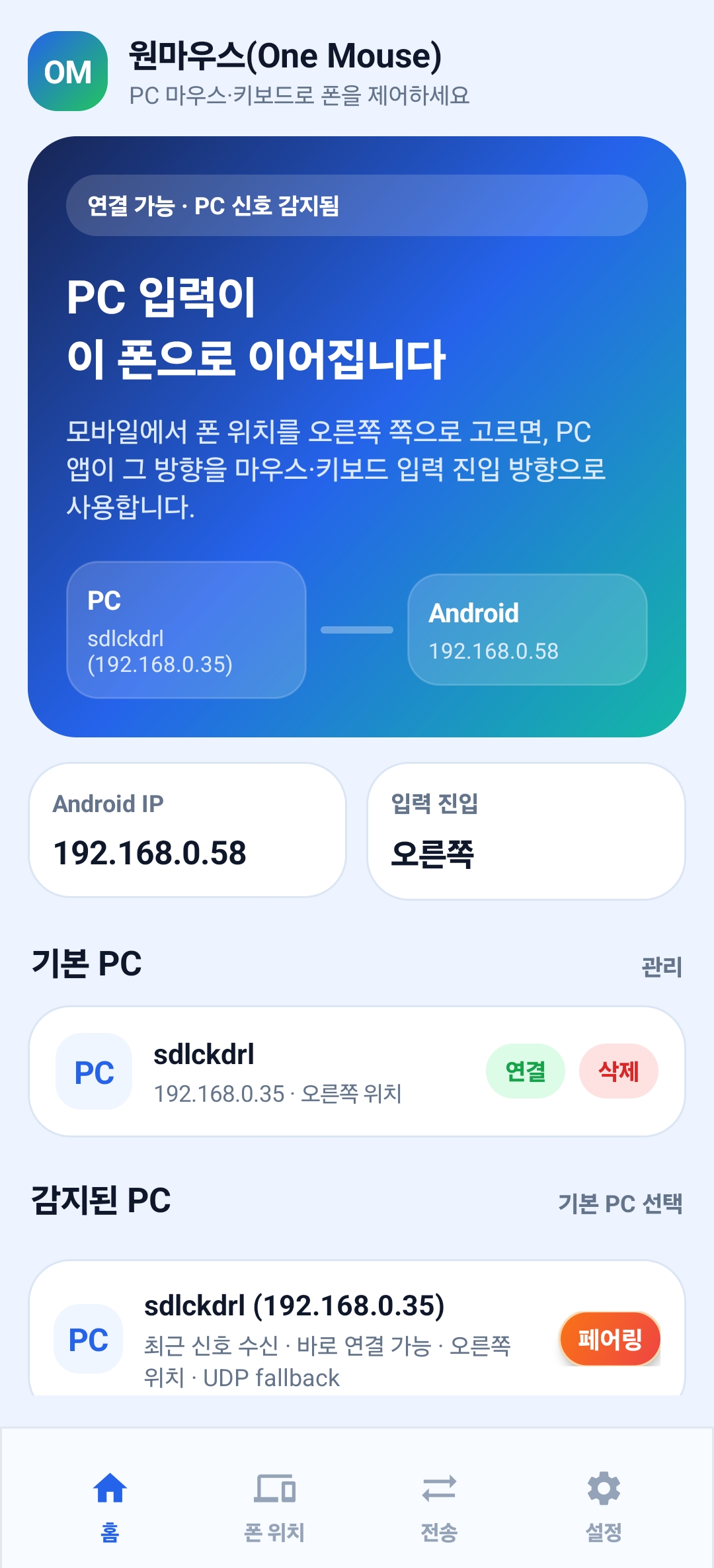
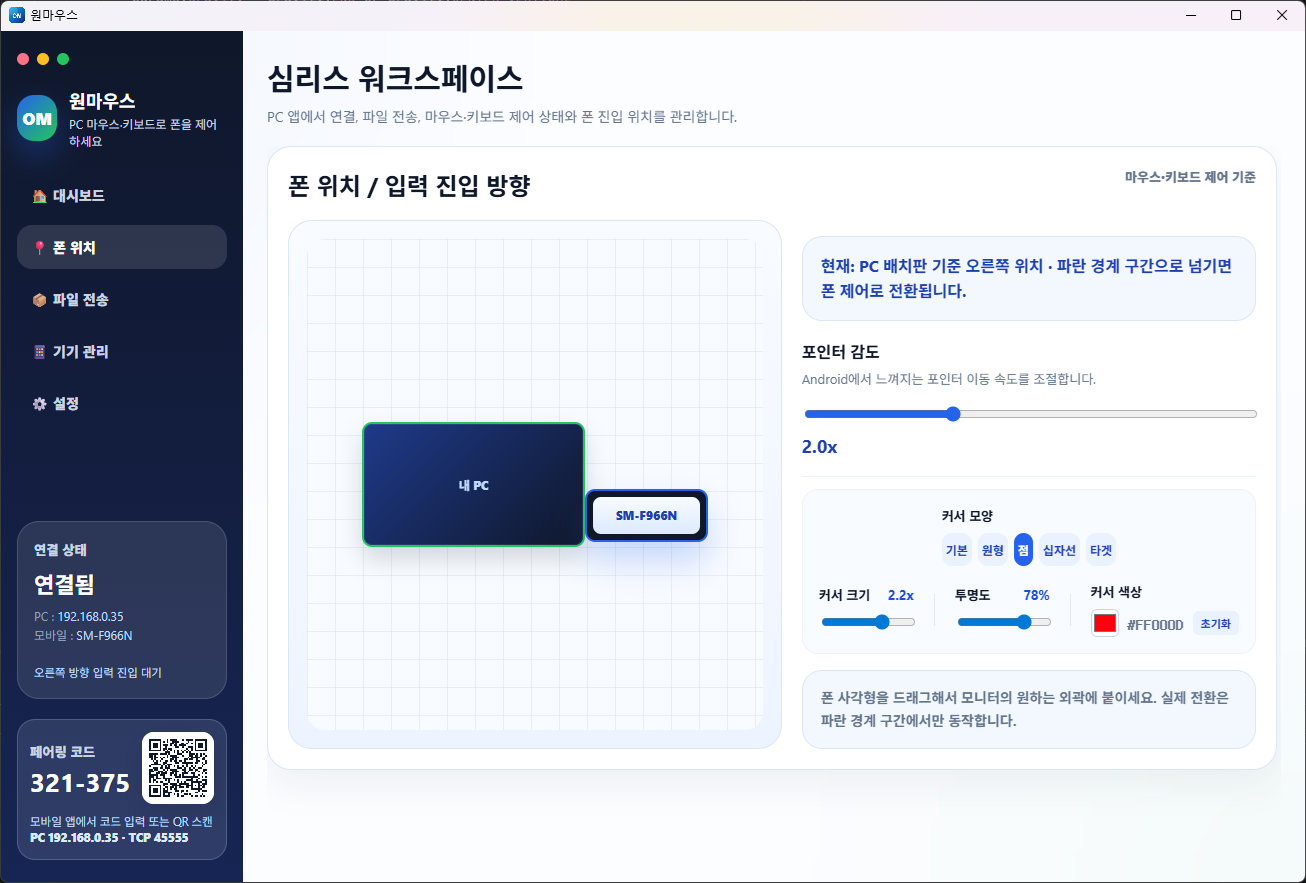
PC のコードと QR、Android のペアリングボタン、PC の配置画面を確認します。
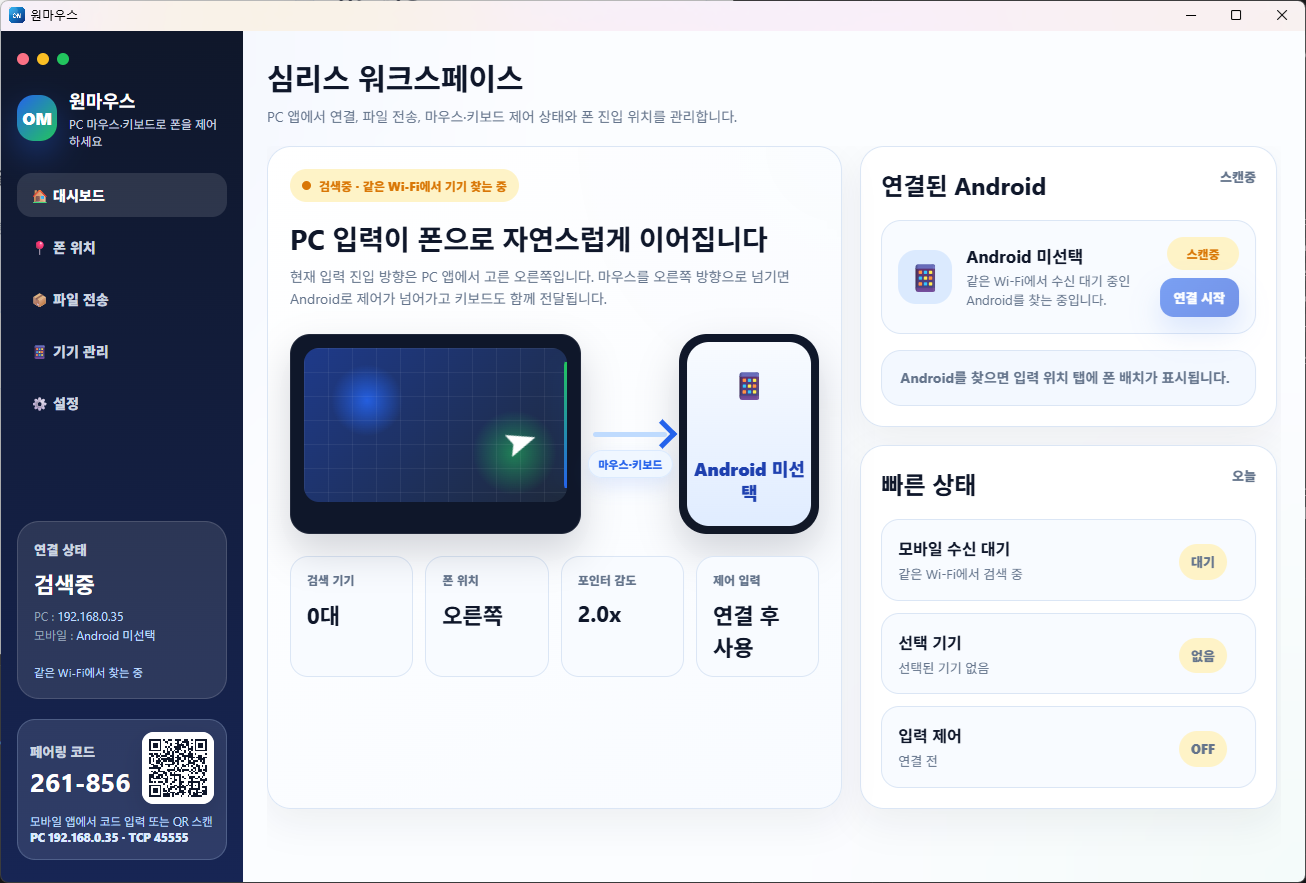
PC のペアリングコードと QR
PC のペアリングコードと QR
Android のペアリング画面
Android のペアリング画面
PC の配置画面
PC の配置画面

Download

Windows アプリと Android アプリを準備してください。

Android 8.0 以降を対象にし、PC は Windows 10/11 を優先サポートします。

PC

Windows

最新の Setup ファイルを確認しています。

Windows
APK

Android

Enable Accessibility and notification permission, then pair with your PC.

Android