2026.05 Update

OneMouse

OneMouse 是把 PC 鼠标、键盘、剪贴板和文件连接到 Android 的本地连接应用。在同一 Wi-Fi 或 LAN 中优先使用 mDNS 查找 PC,必要时使用 UDP fallback。

QR pairingmDNS + UDPWi-Fi/LANPower controlClipboard sync

What Changed

页面已按当前应用流程重新整理。

按电源、权限、设备搜索、配对、手机位置和输入切换的顺序说明。

Pairing

QR / 6-digit code

Use the code shown in the PC app to pair Android.

Discovery

mDNS + UDP

Find the PC on the same local network.

Power

Runtime power

Turn discovery, input receiving, and transfer waiting on or off.

Battery

Battery settings

Check Android battery optimization when connection drops after screen off.

Pro

Purchase and restore

Handle OneMouse Pro through Google Play Billing.

Return

Ctrl + Alt + Backspace

Use the PC shortcut if the cursor does not return.

Product Flow

发现、配对、放置和输入切换。

用户不需要手动管理端口或 transport,只需按照 PC 和 Android 应用界面操作。

01

Find PC

Detect PCs on the local network.

02

Pair

Use QR or 6-digit code.

03

Place phone

Choose the PC edge for handoff.

04

Use input

Mouse, keyboard, files, and clipboard work together.

Demo

观看当前引导流程。

视频展示 PC 启动、Android 权限、配对、放置和输入切换流程。

Screens

在应用中查看的位置

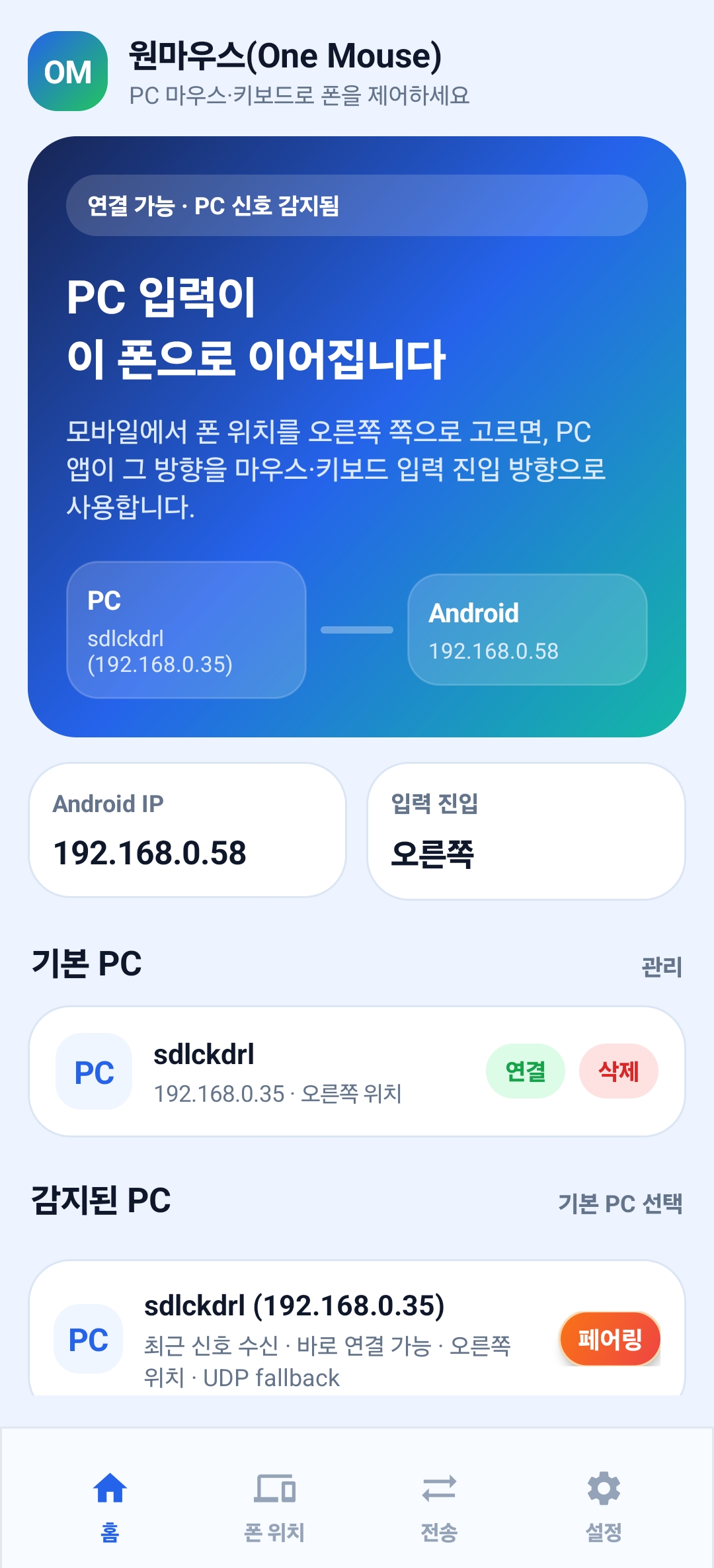
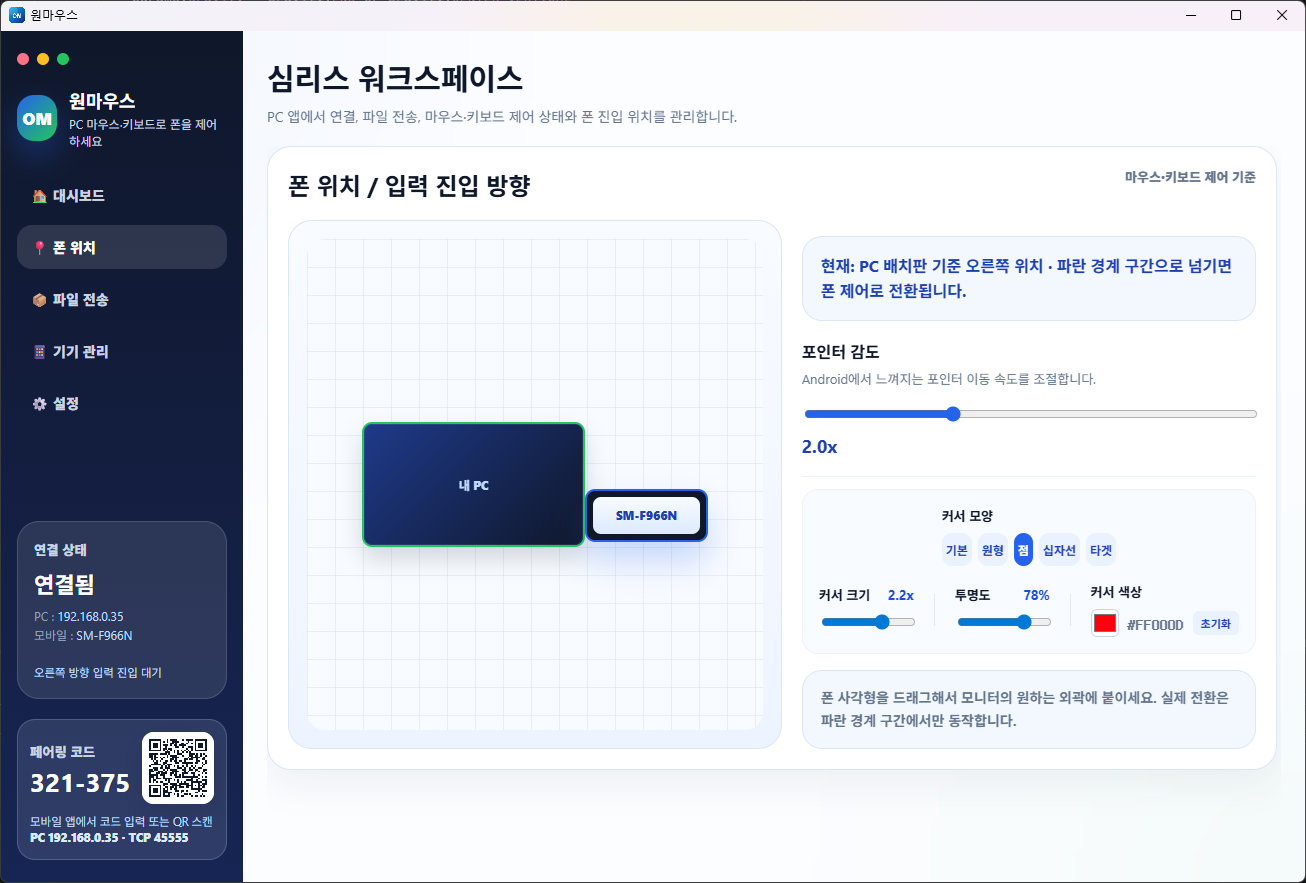
请确认 PC 代码和二维码、Android 配对按钮以及 PC 位置设置界面。
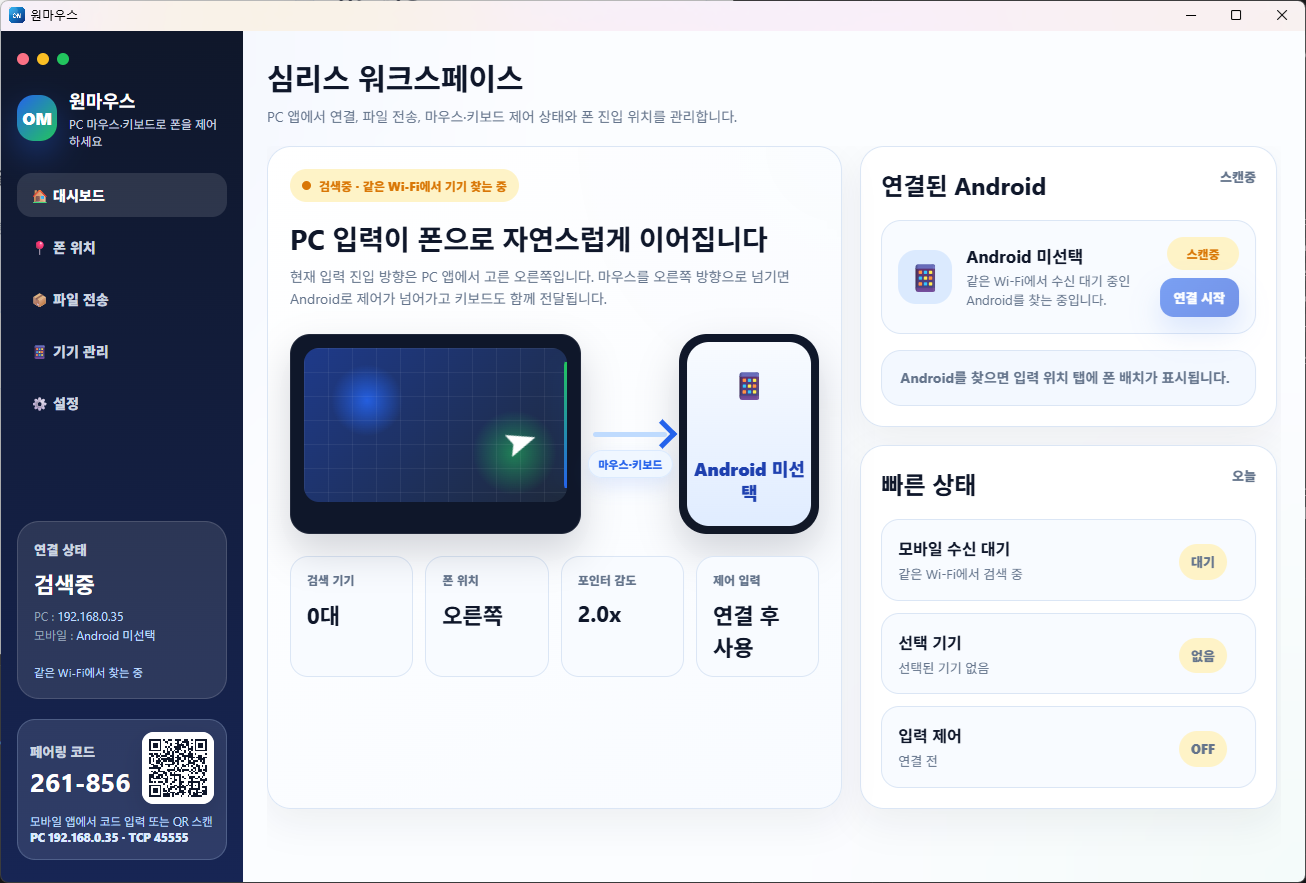
PC 配对码和二维码
PC 配对码和二维码
Android 配对界面
Android 配对界面
PC 位置设置界面
PC 位置设置界面

Download

请同时安装 Windows 应用和 Android 应用。

目标为 Android 8.0 及以上版本,PC 端优先支持 Windows 10/11。

PC

Windows

正在检查最新 Setup 文件。

Windows
APK

Android

Enable Accessibility and notification permission, then pair with your PC.

Android